
Agents of Discovery Mobile App – Data Deletion Requests
Deleting your Account along with its associated Personal Data
Option 1 – Delete your Account within the Agents of Discovery Mobile App
Open the Agents of Discovery Android or iOS mobile app, and log in with the account you want to delete. Navigate to the ‘Settings’ page, and scroll down to the very bottom. There, you will see a button titled ‘Delete User Account’:
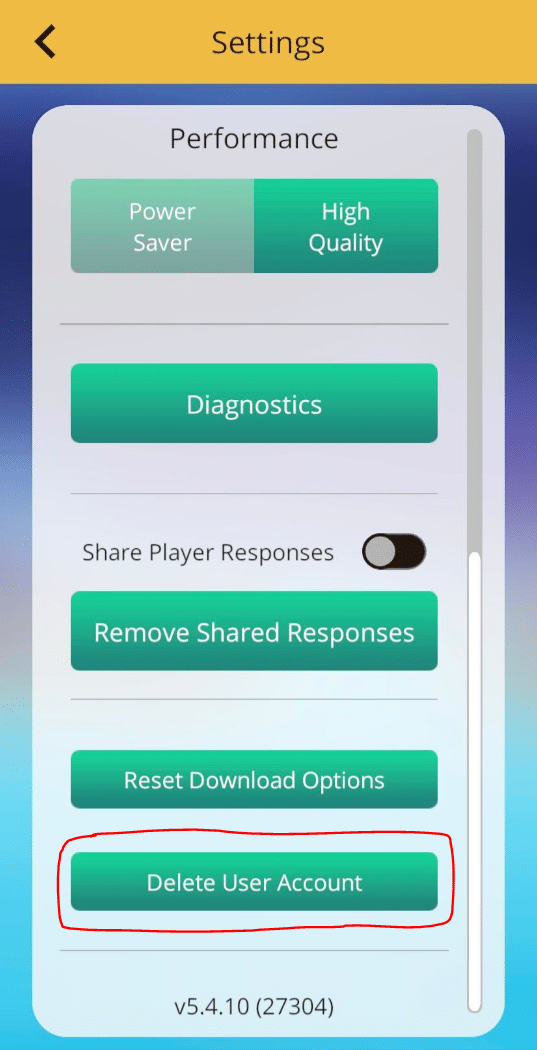
You will be prompted to enter your password on the following screen. After doing so, press the ‘Confirm’ button. Doing this will delete your account along with all of its associated personally-identifiable information (username, email, and text/image player responses, etc.). Please note that it may take up to 14 calendar days for this data to be fully removed from our servers. Additionally, anonymous play data (not tied to any personally identifiable information) may be kept for analytical purposes only.
Option 2 – Email [email protected]
Send an email to [email protected] with a request to delete your account. Clearly mention the email address and/or username associated with your account. After doing so, we will initiate the account deletion process manually and get back to you once it is done. Please note that it may take an additional 14 calendar days after you receive the confirmation email for this data to be fully removed from our servers. Additionally, anonymous play data (not tied to any personally identifiable information) may be kept for analytical purposes only.
Deleting Player Response Answers without Deleting your Account
When you play a Text or Image Player Response Challenge, you have the option to share your responses with the organization(s) that created the Mission(s) you’ve played. If you change your mind at any time, you have the option to stop sharing responses. To do this, navigate to the ‘Settings’ page and scroll to the bottom. There, you will see a button titled ‘Remove Shared Responses’:
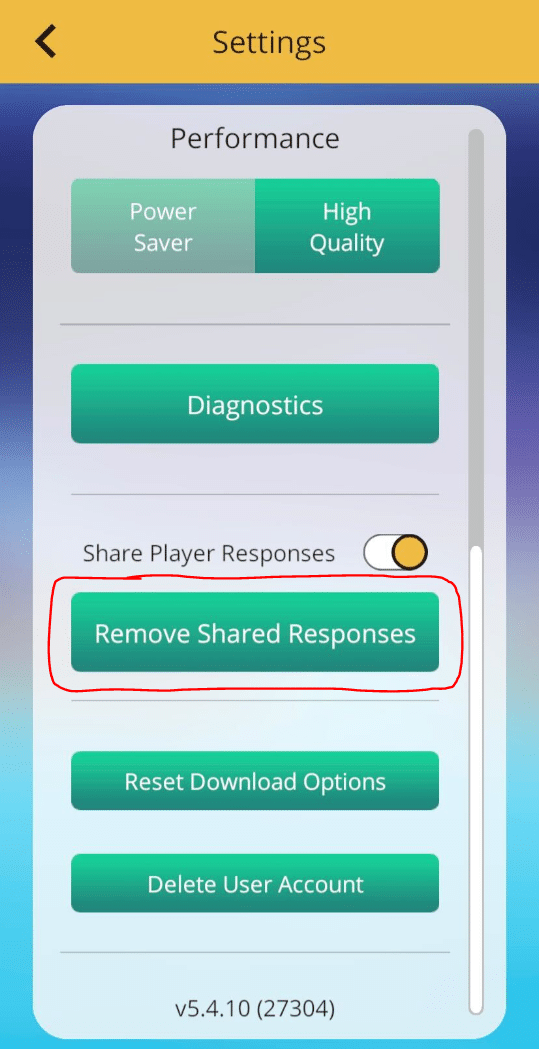
Press ‘Confirm’ in the following pop-up. After doing so, any organization(s) will no longer be able to view the responses you’ve shared. Please note that it may take an additional 14 calendar days before the player response data is be fully removed from our servers.